
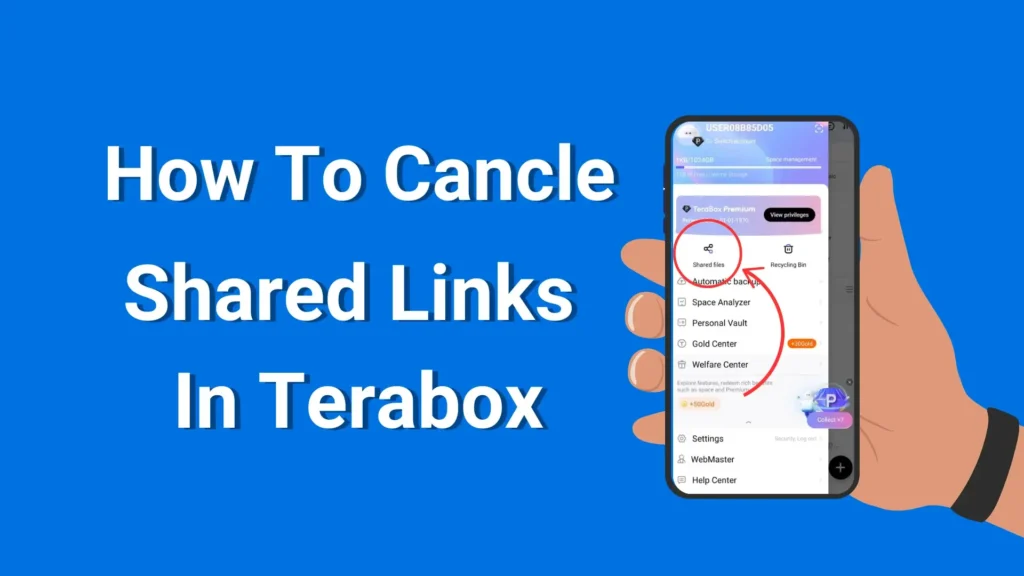
Cloud storage solutions have become an important aspect of our personal and professional life in the modern digital era. Among the numerous ones, TeraBox can be selected as one of the most reliable and convenient cloud-based storage tools enabling consumers to store, handle, and share their files without any inconvenience.
The capability to create shared links is one of the most useful aspects of TeraBox since it will allow users to share documents, photos, videos, and other files with anyone, anywhere, without attaching them to emails or using an external file transfer system.
TeraBox shared links provide an easy method to work together and share content. You may be a professional sending work-related documents to your colleagues, or you may be a student handing in your work, or you may just be sharing photos with your friends and relatives; either way, these links offer a fast and convenient way out.
Nevertheless, the main question that occurs to many users is usually an important inquiry, which is, How long do these shared links last. Are they permanent?” Knowledge of the duration and constraints of TeraBox shared links is important since this directly influences accessibility, security, and convenience of files.
The notion of common connections may appear obvious, yet there are a few small details that need to be taken into account. Not every link can be the same, as some are meant to be temporary and fade after a certain time, and those that may be able to be active over a more extended time.
Understanding TeraBox Shared Links
What Are TeraBox Shared Links?
TeraBox shared links are unique URLs generated by the TeraBox cloud storage platform, designed to make file sharing effortless and convenient. Instead of sending large files through email or messaging apps—which often have size limits—you can share a file or folder with anyone by simply sending them a link. This approach saves time, bandwidth, and ensures that recipients can access your content directly from the cloud.
How TeraBox Generates Shared Links
When a file or folder is uploaded to TeraBox, you can generate a shared link that acts as a secure gateway to your content. These links can be configured in multiple ways:
- View-only access: Recipients can only view the file without downloading or editing it. This is ideal for presentations, documents, and images you don’t want altered.
- Download access: Recipients can download the file directly to their device for offline use.
Each shared link is unique and tied to a specific file or folder. This ensures that even if someone tries to guess the URL, they cannot access the content without the exact link.
Types of Shared Links
TeraBox shared links are versatile and can be categorized as:
Temporary Links: These links expire after a set period. They are useful when sharing files that should only be accessible for a short time, such as meeting documents or promotional content.
Permanent Links: Intended for long-term access, but it’s important to note that even “permanent” links may have limitations based on TeraBox’s policies or account status. We will discuss this in more detail later.
Why Shared Links Are Important
Understanding how TeraBox shared links work is essential for efficient file management and security:
- Convenience: Quickly share large files without worrying about email size restrictions.
- Security: Control who has access and what they can do with the file.
- Collaboration: Easily collaborate with colleagues, friends, or family without transferring files manually.
- File Tracking: Monitor which files are shared and manage access effectively.
Key Considerations for Users
While shared links are powerful, users must understand their limitations. Mismanaging links can lead to unauthorized access or expired links when recipients still need access. Being aware of the differences between temporary and permanent links ensures you can plan file sharing carefully and avoid disruptions.
Duration of TeraBox Shared Links
Default Expiration of Shared Links
TeraBox shared links are not always permanent. By default, many shared links have a predefined expiration period, which ensures that files aren’t accessible indefinitely unless explicitly configured. This helps maintain security and prevents old or outdated links from being misused. The exact duration can vary depending on the type of account (free or premium) and the settings chosen during link creation.
Factors Affecting Link Duration
Account Type
- Free accounts often have stricter limitations on how long a link can stay active. Free users may find that their shared links expire sooner compared to premium subscribers.
- Premium accounts: Offer more flexibility, allowing links to stay active for longer periods or even remain accessible indefinitely under certain conditions.
Link Settings
When creating a shared link, TeraBox allows users to configure:
- Expiration dates: You can set a link to expire after a few days, weeks, or months.
- Access restrictions: Some links may only be accessible for a limited number of downloads or views.
File and Storage Policies
TeraBox may automatically deactivate links if:
- The file is deleted from your account.
- The file violates TeraBox’s terms of service.
- The storage account reaches its limit or is inactive for an extended period.
Examples of Shared Link Durations
- Temporary sharing for meetings or assignments: A user can set a link to expire after 7 days, ensuring it’s accessible only during the relevant period.
- Long-term collaboration: Premium users sharing important documents with colleagues can set links to remain active for months or even “permanently,” as long as the file is not deleted and the account remains active.
Why Duration Matters
Understanding the duration of TeraBox shared links is critical for:
- Planning file access: Ensures recipients can download or view files when needed.
- Avoiding disruptions: Prevents situations where an expired link leaves recipients unable to access important files.
- Maintaining security: Temporary links reduce the risk of long-term exposure to unauthorized users.
Are TeraBox Shared Links Permanent?
Defining “Permanent” in Cloud Storage
When users ask if TeraBox shared links are permanent, it’s important to clarify what “permanent” means. In the context of cloud storage, a permanent link would imply a URL that:
- Never expires automatically
- Remains accessible regardless of account activity
- Does not depend on file status
However, in practice, very few cloud storage services provide truly permanent links, including TeraBox. Even links labeled as long-term or permanent have conditions that can affect their longevity.
Conditions That Affect “Permanent” Links
File Existence
A shared link is directly tied to a specific file or folder. If the file is deleted, moved, or renamed in your TeraBox account, the link will immediately stop working, regardless of its original settings.
Account Status
- Active Accounts: Links remain functional as long as the account is in good standing.
- Inactive or Suspended Accounts: Links may be deactivated if the account becomes inactive for a long period or violates TeraBox’s terms of service.
Storage Limitations
- TeraBox free accounts may have storage limits. If your account exceeds this limit or if the file is removed to make space, even a previously permanent link can become invalid.
Misconceptions About Permanent Links
Many users assume that once a link is created, it will last forever. This is not entirely true for TeraBox. While premium users may generate links intended for long-term use, these links still depend on the file and account status. Therefore, calling them “permanent” can be misleading.
Best Practices Regarding Long-Term Links
- Backup Important Files: Always keep a local copy of files shared through long-term links to prevent accidental loss.
- Monitor Link Activity: Regularly check whether shared links are still active and accessible.
- Use Expiration Strategically: Even if a link can be permanent, consider setting reasonable expiration dates for security purposes.
How to Extend or Manage TeraBox Shared Links
Why Managing Shared Links Matters
Shared links are powerful tools, but without proper management, they can lead to expired links, lost files, or unintended access. By learning how to extend link duration and manage shared files, you ensure that important documents, videos, or images remain accessible to the right people when needed.
Steps to Extend the Life of a Shared Link
Check the Link Expiration Settings
When creating a link, TeraBox often allows users to set an expiration date. For important files, choose the longest available duration to avoid premature expiration. Premium accounts usually offer more flexibility for extended links.
Regularly Update or Re-Share Links
If a link is approaching its expiration date, generate a new link for continued access. Notify recipients of the updated link to avoid confusion or access issues.
Keep Files in Active Folders
Links remain valid only if the file stays in your TeraBox account. Avoid moving or deleting files that are shared via important links. Organizing shared files in dedicated folders helps maintain stability and prevents accidental link breakage.
Tips for Efficient Link Management
- Monitor Shared Links: Keep a list of all active shared links and their expiration dates. This ensures you know which links need updating.
- Use Descriptive Names: Give your shared files and folders clear, descriptive names to make them easier to manage.
- Leverage Password Protection: TeraBox allows you to add passwords to shared links. This not only secures the file but also provides peace of mind if the links are extended for a long period.
Benefits of Proper Link Management
By actively managing your shared links, you can:
- Avoid unexpected link expiration
- Maintain secure access for recipients
- Reduce the risk of sharing outdated or incorrect files
- Ensure files are always available for collaboration, work, or personal sharing
Ensuring Security When Using TeraBox Shared Links
While TeraBox shared links make file sharing easy and convenient, security is always a critical consideration. Any shared link, if mismanaged, can potentially allow unauthorized access to your files. Understanding how to protect your shared content ensures that your files remain both accessible to intended recipients and safe from misuse.
Why Security Matters
Even if a link is set to “permanent” or long-term, it can still be vulnerable if shared publicly or sent to unintended recipients. Without proper precautions, sensitive documents, personal photos, or important work files could be accessed by strangers, leading to privacy breaches or data loss.
Practical Tips to Keep Shared Links Secure
Use Password Protection
TeraBox allows users to add passwords to shared links. This adds an extra layer of protection, ensuring that only recipients with the correct password can access the file.
Share Links Selectively
Avoid posting shared links on public forums or social media. Instead, send links directly to specific recipients through email, messaging apps, or collaboration platforms.
Set Expiration Dates
Even for important files, consider setting a reasonable expiration period. Temporary links reduce the risk of files remaining accessible indefinitely.
Monitor Link Activity
Regularly check which files are shared and who has access. Remove or update links if they are no longer needed or if access should be restricted.
Keep Files Organized
Store shared files in clearly labeled folders. This helps prevent accidental sharing of sensitive files and makes it easier to manage links efficiently.
Benefits of Following Security Practices
- Reduces the risk of unauthorized access
- Ensures sensitive files remain confidential
- Allows you to maintain control over your shared content
- Prevents unexpected disruptions due to expired or mismanaged links
Tips and Best Practices for TeraBox Shared Links
Using TeraBox shared links effectively requires more than just creating them—it’s about managing, securing, and organizing your files to ensure smooth access and long-term usability. Here are practical strategies to help you get the most out of TeraBox:
Organize Your Shared Files
Keep shared files in dedicated folders with clear names. This makes it easier to track which files are shared, who has access, and prevents accidental sharing of the wrong content. Organized folders also help when updating or extending links.
Use Passwords for Sensitive Files
For confidential documents or personal files, always enable password protection on shared links. This ensures that even if a link is forwarded to someone unintended, access remains restricted.
Monitor and Update Links Regularly
Check your shared links periodically. If a link is no longer needed or if the file changes, update or delete the link to maintain control over your files. This reduces the risk of unauthorized access and ensures recipients always access the correct version.
Don’t Rely Solely on “Permanent” Links
Even links labeled as long-term or permanent in TeraBox have limitations. Always keep a backup of important files in your local storage or another secure cloud account. This ensures files are not lost if a link becomes invalid or your account experiences issues.
Set Expiration Strategically
For files that only need temporary access, set an appropriate expiration date. This prevents old links from being active indefinitely, which is safer for both personal and professional sharing.
Communicate with Recipients
When sharing links, inform recipients about the link’s validity and access permissions. This helps prevent confusion if a link expires or access is restricted.
Benefits of Following These Practices
By following these simple tips, you can:
- Ensure files are accessible only to intended recipients
- Minimize the risk of unauthorized access or data loss
- Keep your shared files organized and manageable
- Maintain smooth and efficient collaboration or personal sharing
Conclusion
TeraBox shared links are an effective way of file sharing as they are convenient, flexible, and accessible. Be it documents, videos, or personal photos, these links will enable the recipients to view or download the files quickly without the time-consuming email attachments. Nonetheless, it is important to learn about the duration of such links and their permanency to perform good file management.
As we have discussed, the time that TeraBox provides shared links may depend on several factors, such as account type, link settings, and TeraBox policies. Although this is not entirely permanent, premium users can create links that will be used over a long period of time. The files can get inaccessible when deleted, when moved, or when the account is inactive. You must be careful in your sharing and not just be guided by the idea of permanent links.
Effective management is key. Arranging mutual files, password protection, developing strategic expiry dates, and tracking activity of links can help users in maintaining the security and accessibility of the files. Such practices are also useful in avoiding unauthorized access, accidental expiration of links, or collaborative disruption.

