Cloud storage has become an essential part of modern digital life, allowing users to store photos, videos, documents, and backups securely online. Among the many cloud storage services available today, TeraBox Premium has gained massive popularity because of its large storage capacity, affordable pricing, and user-friendly features. Whether you are a student, content creator, or professional user, TeraBox offers a convenient way to manage files across multiple devices.
While the free version of TeraBox provides decent functionality, many users eventually upgrade to TeraBox Premium for faster downloads, ad-free browsing, larger file uploads, and enhanced backup tools. In this complete guide, you will discover everything about TeraBox Premium, including its key features, pricing plans, security, pros and cons, and whether it is worth buying in 2026.
What Is TeraBox Premium?
TeraBox Premium is the paid version of the TeraBox cloud storage service that gives users extra features, faster performance, and a better overall experience compared to the free plan. TeraBox is mainly used for storing files online so users can access them anytime from mobile phones, tablets, laptops, or desktop computers. Many people use it to save photos, videos, documents, movies, and backups without filling up their device storage. The Premium version removes many of the limitations found in the free plan, such as slow download speeds, advertisements, and restricted upload sizes. It is designed for users who need more storage flexibility, faster file transfers, and smoother cloud access for personal or professional use.
Overview of TeraBox
TeraBox is a cloud storage platform that allows users to upload and manage files securely online. Instead of keeping everything on a physical hard drive or mobile storage, users can save their data in the cloud and access it whenever they need it through the internet. The platform supports multiple devices, including Android phones, iPhones, Windows computers, and web browsers, making file access simple and convenient. One reason TeraBox became popular is its large storage offering, which attracts users looking for affordable online backup solutions.
The platform is commonly used for storing photos, videos, study materials, office documents, and large media files. TeraBox also includes useful features such as automatic backup, folder management, file sharing, and online video playback. Its simple interface makes it easy for beginners to understand, while its advanced storage options also help users who regularly manage large amounts of data. Because of these features, TeraBox has become a popular alternative to traditional cloud storage services.
Difference Between Free and Premium
The free version of TeraBox gives users access to basic cloud storage features, but it also comes with several limitations. Free users may experience slower download speeds, regular advertisements, restricted upload sizes, and limited access to advanced tools. These limitations can become frustrating for people who upload or download large files frequently. The free plan is suitable for casual users, but it may not provide the performance needed for heavy cloud storage usage.
In comparison, TeraBox Premium offers a much smoother and faster experience. Premium users can enjoy high-speed downloads, larger file upload support, ad-free browsing, and better video streaming quality. The Premium plan also improves backup and file recovery features, making it more useful for users who store important data online. These upgrades make the service more reliable for professionals, students, content creators, and anyone who depends on cloud storage every day.
Who Should Use TeraBox Premium?
TeraBox Premium is a great option for users who need extra cloud storage and faster file management tools. It is especially useful for people who work with large files such as HD videos, graphic design projects, software packages, or professional documents. Users who regularly back up their phones, laptops, or media collections can also benefit from the larger storage space and automatic backup features included in the Premium plan.
The service is ideal for students, freelancers, video editors, photographers, gamers, and business users who need quick access to files from multiple devices. It is also helpful for people who want a cleaner, ad-free experience while managing their cloud storage. Anyone who uploads or downloads files daily will likely notice the difference in speed and convenience after upgrading to TeraBox Premium.
Read Also: terabox direct download link
Key Features of TeraBox Premium
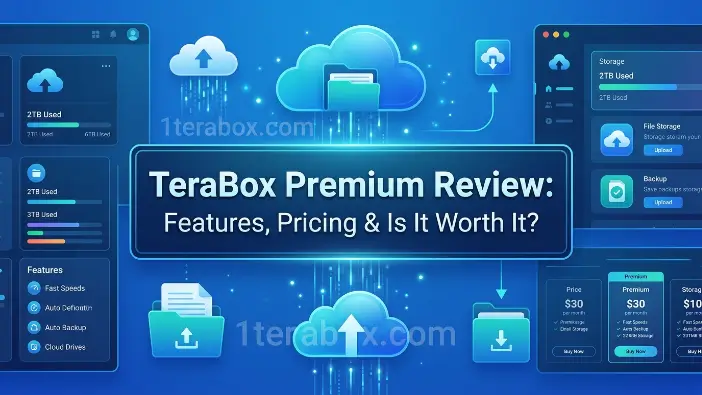
TeraBox Premium comes with many advanced features that make cloud storage faster, smoother, and more useful for daily use. While the free version is good for basic file storage, the Premium version is designed for users who need more storage space, better speed, and extra convenience. It helps users upload large files, download content faster, back up important data automatically, and enjoy an ad-free experience. These features are especially helpful for students, professionals, content creators, and people who regularly work with photos, videos, and documents online. With improved performance and larger storage capacity, TeraBox Premium provides a more reliable and comfortable cloud storage experience.
2TB or More Cloud Storage
One of the biggest features of TeraBox Premium is its huge cloud storage space. Premium users usually get around 2TB of online storage, which is enough to save thousands of photos, videos, movies, documents, and backup files. This large storage capacity allows users to keep important data online without filling up their phone or computer storage. Instead of deleting old files to create space, users can safely store everything in the cloud and access it anytime through the internet.
This feature is very useful for people who work with large media files or regularly create backups. Students can save study materials and lectures, while photographers and video editors can upload large projects without worrying about storage limits. Since files are stored online, users can also access them from multiple devices such as smartphones, tablets, or laptops. The large storage space makes TeraBox Premium a convenient solution for both personal and professional use.
High-Speed Downloads
Download speed is one of the main reasons many users upgrade to TeraBox Premium. In the free version, downloads can sometimes be slow, especially when transferring large files or using the service during busy hours. Premium users receive faster download speeds, allowing them to transfer files more quickly and efficiently. This makes the platform much more useful for people who regularly download movies, software, videos, or large folders.
Faster downloads save time and improve productivity. Instead of waiting a long time for files to transfer, users can complete downloads much more quickly and continue their work without delays. This feature is especially helpful for professionals and content creators who work with large media files every day. Even users with average internet connections can notice a smoother experience when using the Premium version.
Ad-Free Experience
Advertisements can interrupt the user experience and make cloud storage apps feel slow and crowded. The free version of TeraBox often includes pop-up ads and promotional banners while browsing files or watching videos. With TeraBox Premium, all advertisements are removed, giving users a cleaner and smoother interface.
An ad-free experience makes the platform easier and more comfortable to use. Users no longer need to close repeated ads while uploading or downloading files. This creates a more professional environment and improves navigation speed inside the app. People who use cloud storage regularly can save time and enjoy a better overall experience without constant interruptions.
Automatic Backup
Automatic backup is one of the most useful features of TeraBox Premium because it protects important files without requiring manual uploads. Users can enable automatic synchronization for photos, videos, documents, and folders, allowing files to be backed up to the cloud automatically in the background. This means newly created files are saved online without extra effort.
This feature is very important for smartphone users because devices can be lost, damaged, or reset unexpectedly. With automatic backup enabled, users can recover their important photos, videos, and documents from the cloud at any time. It also helps users stay organized because the system continuously updates backups automatically. For students, professionals, and content creators, this feature provides both convenience and extra security.
Large File Upload Support
Free cloud storage plans often limit the size of files users can upload. This becomes a problem for people working with HD videos, software packages, or professional design projects. TeraBox Premium increases the upload limit significantly, making it easier to upload large files directly to the cloud.
This feature is especially useful for video editors, designers, gamers, and business users who regularly handle heavy files. Instead of splitting files into smaller parts before uploading, users can upload complete projects quickly and easily. Large upload support also improves file sharing because users can send full-quality media files without compression or size reduction.
Multi-Speed Video Playback
TeraBox also allows users to stream videos directly from cloud storage. TeraBox Premium improves this feature by providing HD video playback and adjustable playback speeds. Users can watch videos online without downloading them first, which saves storage space on their devices.
Playback speed controls are useful for many purposes. Students can speed up lectures to save time, while users watching tutorials can slow down videos to understand details more clearly. Premium playback also reduces buffering problems and improves streaming quality. This makes the platform useful not only for file storage but also for entertainment and online learning.
File Protection and Recycle Bin
Accidentally deleting important files can create serious problems, especially when those files contain personal memories or work-related data. TeraBox Premium includes better file protection tools and an improved recycle bin system that allows users to recover deleted files more easily. Deleted files remain recoverable for a longer period compared to the free version.
This feature gives users extra security and peace of mind. If files are removed by mistake, they can often be restored without permanent loss. It is especially helpful for people who store important office documents, educational files, or personal photos in the cloud. The recycle bin feature acts as a safety layer that helps protect valuable data.
Unlimited File Transfers
Another major benefit of TeraBox Premium is improved file transfer capability. Free users may face restrictions when uploading or sharing multiple large files, but Premium users receive better transfer support and faster synchronization between devices. This makes cloud storage much more efficient for daily use.
Unlimited or enhanced transfers are useful for users who regularly share folders, media collections, or project files with others. Businesses and freelancers can transfer large files more smoothly without delays or limitations. Faster file transfers also improve device synchronization, allowing users to access updated files quickly from smartphones, tablets, and computers.
TeraBox Free vs Premium Comparison
Choosing between the free and Premium versions of TeraBox depends on how you use cloud storage in your daily life. The free plan is mainly designed for casual users who only need basic online storage for photos, videos, and documents. It provides enough features for light usage, but it also includes several restrictions, such as slower speeds, advertisements, and limited upload support. On the other hand, TeraBox Premium is created for users who need faster performance, larger file handling, and a smoother cloud experience. Premium users receive additional storage benefits, improved transfer speeds, better backup tools, and an ad-free interface that makes file management much more convenient. Official TeraBox sources highlight faster downloads, unlimited transfers, and advanced playback features as major Premium advantages.
Storage Limits
One of the biggest differences between the free and Premium plans is the amount of usable storage and file handling flexibility. The free version of TeraBox is known for offering large cloud storage space compared to many competitors, which attracts users looking for free online backup solutions. However, free users still face restrictions such as smaller upload limits and fewer advanced storage features. Official TeraBox information states that Premium users receive around 2TB of cloud storage, while free users typically get around 1TB under standard conditions.
The Premium version is much more suitable for users who regularly manage large media files, professional projects, or device backups. Premium accounts also support much larger individual file uploads, often up to 20GB, compared to the smaller upload limits available in free accounts. This makes Premium more practical for video editors, photographers, gamers, and professionals working with large content files. Some recent online discussions also suggest that free storage offers and limitations may vary depending on region and account type.
Upload and Download Speed
Speed is another major area where TeraBox Premium performs much better than the free version. Free users often experience limited download speeds, especially during busy hours or while downloading large files. According to official TeraBox articles, free account download speeds are usually lower, while Premium users can receive significantly faster transfer performance. Premium subscriptions are promoted as providing high-speed uploads and downloads for smoother file transfers.
Faster transfer speed is extremely important for users who regularly download movies, software packages, HD videos, or project files. Waiting a long time for files to transfer can reduce productivity and become frustrating over time. Many users upgrade mainly to unlock better speed and remove transfer restrictions. Community reviews on Reddit show mixed experiences, with some users reporting excellent Premium speeds while others mention occasional slowdowns depending on location or server traffic.
Ads and User Experience
Advertisements are one of the most noticeable differences between the free and Premium versions. Free users frequently see ads while browsing folders, opening files, or streaming videos online. These advertisements can interrupt the user experience and make the app feel slower and less comfortable to use. TeraBox Premium removes these ads completely, giving users a cleaner and smoother interface. Official TeraBox sources specifically mention ad-free access as one of the key Premium benefits.
An ad-free experience improves navigation speed and creates a more professional environment for managing files. Users no longer need to close repeated pop-ups or wait for promotional screens before accessing content. This is especially important for students, professionals, and people who use cloud storage every day. Many users consider the ad-free interface one of the most valuable Premium upgrades because it greatly improves overall usability and convenience.
Security and Backup Features
Both free and Premium versions of TeraBox include standard cloud security protections such as encrypted transfers and account login protection. However, the Premium plan provides stronger backup and recovery features that improve file safety and data management. Premium users usually receive advanced recycle bin support, longer recovery periods for deleted files, and larger protected storage areas for private files. Official TeraBox articles also mention features like automatic backup and protected cloud storage as part of the Premium experience.
Automatic backup is especially useful for users who regularly save photos, videos, and important documents from mobile devices. Instead of manually uploading files every day, Premium users can automatically synchronize content to the cloud in the background. This reduces the risk of losing important files if a phone or computer becomes damaged. While TeraBox includes security protections, many online discussions still recommend avoiding storing highly sensitive personal information without additional encryption for extra privacy protection.
TeraBox Premium Pricing Plans
Many users choose TeraBox Premium because it offers large cloud storage at a lower price than many competitors. The platform provides monthly, yearly, and Premium+ plans to suit different budgets and storage needs. Premium users get features like faster downloads, larger uploads, HD video playback, unlimited transfers, and an ad-free experience. Blog it also includes automatic backup tools that help keep files safe and organized. TeraBox often offers free trials and discounts, allowing users to test Premium features before purchasing a subscription.
Monthly Plan
The monthly subscription plan is the most popular option for users who want flexibility without committing to a long-term contract. According to official TeraBox information, the standard monthly Premium plan is usually priced around $3.49 to $3.99 per month, depending on the region and payment method.
This plan is useful for users who:
- Need temporary extra storage
- Want to test Premium features
- Work on short-term projects
- Require cloud storage for a limited period
Monthly subscriptions are convenient because users can cancel anytime without being locked into yearly billing. Many users choose this plan first to test download speed, upload performance, and overall reliability before purchasing longer subscriptions. Some promotional offers may also provide discounted first-month pricing for new users.
Yearly Subscription
The yearly subscription plan is designed for users who need long-term cloud storage and want better value for money. Official TeraBox articles mention annual Premium pricing around $35.99 to $38.99 per year, which reduces the average monthly cost compared to paying monthly.
Annual subscriptions are usually the best choice for:
- Students storing study materials
- Content creators with large media files
- Business users managing backups
- People use cloud storage daily
The yearly plan is more cost-effective because users save money over time compared to monthly renewals. Some users also prefer annual billing because it avoids repeated monthly payments and provides uninterrupted Premium access throughout the year. TeraBox occasionally offers additional discounts during special promotions, making yearly subscriptions even cheaper for long-term users.
Premium+ Plans
In addition to the standard Premium plan, some regions also offer Premium+ subscriptions with extra features and expanded storage options. According to recent online listings and community discussions, Premium+ plans may include larger cloud storage capacities such as 3TB or 5TB, along with AI-based tools and enhanced file management features.
Premium+ plans are generally designed for heavy users who:
- Store extremely large media collections
- Manage professional video projects
- Need advanced productivity tools
- Require larger upload capacities
Some Premium+ versions also advertise AI tools such as translation, transcription, presentation creation, and smart file management. However, available features may differ by country and platform. Because these plans are newer and sometimes promotional, users should carefully review storage limits, pricing terms, and renewal conditions before subscribing.
Free Trial Availability
TeraBox frequently offers free trials and promotional discounts for new Premium users. Official TeraBox articles mention free trial periods ranging from 1 day to 7 days, depending on the offer, platform, and user activity. Some promotions also provide discounted introductory pricing before standard billing begins.
Free trials are useful because they allow users to test important Premium features such as:
- Faster downloads
- Ad-free browsing
- HD video playback
- Larger uploads
- Unlimited transfers
However, users should pay close attention to auto-renewal settings. Some trial plans automatically convert into paid subscriptions unless canceled before the billing date. Official community discussions state that subscriptions can usually be canceled anytime through account settings or app stores.
Is TeraBox Premium Worth It?
Whether TeraBox Premium is worth buying depends on how much cloud storage you need and how often you use online file storage in your daily life. For users who regularly upload large videos, photos, documents, or backups, the Premium version offers many useful improvements compared to the free plan. Features like faster download speeds, larger upload support, automatic backup, HD video playback, unlimited transfers, and an ad-free interface make the platform more convenient and easier to use. Many people choose TeraBox Premium because it provides huge cloud storage at a lower price than many other cloud services. It is especially useful for students, content creators, freelancers, and users who need extra storage without spending too much money. However, before upgrading, users should also understand its advantages, disadvantages, and real-world performance to decide whether it matches their personal or professional needs.
Advantages
One of the biggest advantages of TeraBox Premium is its large cloud storage capacity at an affordable price. Many cloud storage platforms charge high prices for extra storage, but TeraBox offers multiple terabytes of storage for a much lower cost. This makes it a good option for users who need space for videos, photos, movies, documents, and backup files. People who work with large media content can store huge amounts of data online without worrying about device storage limitations.
Another major benefit is the improved user experience. Premium users get faster uploads and downloads, larger file upload support, HD video streaming, automatic backup tools, and unlimited file transfers. The Premium version also removes advertisements completely, creating a cleaner and smoother interface. These features save time and make file management easier for users who access cloud storage every day. For many users, the combination of affordable pricing and useful features makes TeraBox Premium a valuable storage solution.
Disadvantages
Despite its benefits, TeraBox Premium also has some disadvantages that users should consider before purchasing a subscription. One common concern is privacy and security. Some users feel uncertain about storing highly sensitive or confidential files on the platform because TeraBox is not as widely trusted as services like Google Drive or Dropbox. Although the platform includes basic security features such as encrypted transfers and account protection, some users still prefer stronger privacy-focused cloud services for important business or personal data.
Another disadvantage is that performance can sometimes be inconsistent depending on the internet connection, region, or server traffic. While many users experience fast download speeds, others occasionally report slow transfers or buffering problems during busy hours. Some users also mention that customer support and collaboration tools are not as advanced as those offered by larger cloud storage companies. Because of these limitations, TeraBox Premium may not be the best choice for users who need enterprise-level reliability or advanced team collaboration features.
Real User Experience
Most users who buy TeraBox Premium are satisfied with the large storage space and lower pricing. Many people use the platform for storing movies, personal videos, mobile backups, educational content, and media collections. Users often appreciate how easy it is to upload files, stream videos online, and access data from multiple devices. The Premium version is especially popular among people who need a lot of cloud storage without paying expensive monthly fees.
However, real user experiences are mixed in some areas. While many users report good download speeds and smooth performance, others mention occasional slow transfers or server issues. Some people also feel that the platform works better for personal storage rather than professional business collaboration. Overall, most casual users are happy with the value provided by TeraBox Premium, but users with advanced business needs may still prefer more established cloud storage services.
Best Use Cases
TeraBox Premium works best for users who need affordable cloud storage for personal use or large media files. It is especially useful for storing photos, HD videos, movies, study materials, and mobile phone backups. Students can save lectures and assignments online, while content creators can store editing projects and media collections without filling up device storage. The platform is also convenient for users who want to access files across different devices anytime through the internet.
The service is a good choice for people who mainly need simple cloud storage with large capacity and basic sharing features. However, users who require advanced collaboration tools, stronger privacy protection, or enterprise integrations may prefer alternatives like Google Drive, Dropbox, or Proton Drive. For casual storage, entertainment, backups, and personal file management, TeraBox Premium offers good value for its price.
Best Alternatives to TeraBox Premium
Even though TeraBox Premium offers large storage at an affordable price, many users still explore other cloud storage services based on their needs. Some people want better security and privacy, while others need stronger collaboration tools, faster syncing, or better support for office work. Platforms like Google Drive, Dropbox, MEGA, and Proton Drive each offer different features and advantages. While TeraBox is great for affordable large storage, other services may provide better reliability, encryption, or professional tools depending on the user’s requirements.
Google Drive
Google Drive is one of the most widely used cloud storage services in the world and a strong alternative to TeraBox Premium. It is connected with other Google services such as Gmail, Google Docs, Google Sheets, and Google Photos, making it very useful for students, office workers, and businesses. Users can upload files, create documents, edit presentations, and share folders directly from the cloud without installing extra software. Because everything works inside the Google ecosystem, managing files becomes simple and convenient for everyday use.
One of the biggest advantages of Google Drive is its powerful collaboration system. Multiple people can work on the same document at the same time, which is extremely useful for teamwork, online classes, and office projects. The platform also provides stable performance, automatic synchronization, and strong reliability because it is operated by Google. However, compared to TeraBox Premium, Google Drive usually offers smaller free storage and higher pricing for larger storage plans. Even so, many users prefer it because of its professional tools, strong security, and smooth integration with productivity apps.
Dropbox
Dropbox is another popular cloud storage platform that mainly focuses on fast file synchronization and professional collaboration. It is commonly used by freelancers, businesses, and creative professionals who need to access files from multiple devices. When users upload files to Dropbox, the system quickly synchronizes them across smartphones, tablets, and computers, making workflow faster and more efficient.
Another major strength of Dropbox is its advanced sharing and teamwork features. Users can create shared folders, manage team permissions, track file versions, and collaborate on projects easily. These features make Dropbox very useful for office environments and remote work. The platform is also known for its reliable syncing speed and stable performance. However, Dropbox storage plans are generally more expensive than TeraBox Premium, especially for users who need several terabytes of storage space. Despite the higher cost, many professionals still choose Dropbox because of its trusted business tools and smooth user experience.
MEGA
MEGA is a cloud storage platform that is especially popular for its strong focus on privacy and encryption. Unlike many cloud services, MEGA uses end-to-end encryption, meaning files are encrypted before they leave the user’s device. This makes it much harder for unauthorized people to access user data and gives users more control over their privacy. Because of this security system, MEGA is often recommended for users who want safer online storage for personal or confidential files.
Another advantage of MEGA is its generous storage options and secure file-sharing system. Users can upload photos, videos, documents, and backups while protecting files with encryption keys. The platform also supports secure file transfers and password-protected sharing links. However, some users may find MEGA slightly more complicated to use than Google Drive or Dropbox because of its stronger security setup. Upload and download speeds may also vary depending on location and internet connection. Still, MEGA remains one of the best alternatives for users who care about privacy and encrypted cloud storage.
Proton Drive
Proton Drive is another privacy-focused cloud storage service developed by the creators of Proton Mail. The platform is designed for users who want maximum privacy and strong data protection for their online files. Proton Drive uses end-to-end encryption to keep files secure and private, ensuring that uploaded data remains protected from unauthorized access. This makes it a popular option for people storing sensitive personal information or confidential work documents.
Another important advantage of Proton Drive is its strong reputation for security and transparency. The company behind Proton is known for focusing heavily on online privacy and encrypted communication tools. Proton Drive is especially useful for journalists, business users, and people who want secure document storage. However, compared to TeraBox Premium, Proton Drive currently offers smaller storage plans and fewer media-focused features. It is better suited for secure file protection rather than storing huge movie collections or entertainment files. Users who prioritize privacy over large storage capacity often consider Proton Drive one of the best alternatives available.
Common Problems and Solutions
Although TeraBox Premium provides large cloud storage and many useful features, users can sometimes face technical problems while using the platform. These issues may happen because of weak internet connections, device settings, app bugs, server traffic, or account-related errors. Some of the most common problems include slow download speed, upload failures, Premium activation issues, and syncing problems between devices. These problems can affect the overall user experience, especially for people who regularly upload or download large files. The good thing is that most TeraBox issues can usually be fixed with simple troubleshooting steps such as updating the app, checking internet stability, restarting the device, or adjusting app permissions. Understanding these common problems and their solutions can help users use TeraBox Premium more smoothly and avoid unnecessary frustration during daily cloud storage use.
Slow Download Speed
Slow download speed is one of the most common issues faced by TeraBox users, especially when downloading large files such as HD videos, software packages, movies, or backup folders. Sometimes downloads become very slow because of weak internet connections, high server traffic, or too many background apps using internet bandwidth at the same time. Free users usually experience more speed limitations, while Premium users receive faster download speeds. However, even Premium users may occasionally notice slower performance during busy traffic periods or unstable network conditions.
To improve download speed, users should first check their internet connection and make sure they are connected to a stable Wi-Fi or high-speed mobile network. Restarting the router, clearing the TeraBox app cache, and closing background apps can also help improve transfer performance. Updating the app to the latest version is important because older versions may contain bugs that affect speed. If downloads remain slow, users can try downloading files during less busy hours or switch to another network connection for better stability.
Upload Failures
Upload failures happen when files stop uploading midway, fail, or never reach cloud storage successfully. This problem usually occurs because of unstable internet connections, large file sizes, unsupported file formats, or temporary app glitches. Sometimes uploads also fail if the device storage is full or the app loses connection while transferring files to the cloud.
Users can solve upload issues by making sure they have a strong and stable internet connection before starting uploads. It is also important to check whether the file size exceeds the upload limit allowed by the current account plan. Restarting the app or device often fixes temporary bugs that interrupt uploads. Users should also update the TeraBox app regularly because newer versions usually contain performance improvements and bug fixes. For people who upload large videos or project files regularly, upgrading to TeraBox Premium can reduce upload restrictions and improve upload reliability.
Premium Activation Issues
Some users may face problems after purchasing TeraBox Premium, where Premium features do not activate immediately, or the subscription status does not update correctly. This issue may happen because of delayed payment verification, app synchronization problems, incorrect account login, or temporary server delays. As a result, users may still see free account limitations even after making a successful payment.
To fix Premium activation issues, users should first restart the app and make sure they are logged into the correct TeraBox account used during the purchase. Many activation problems can also be solved by using the “Restore Purchases” option inside the app settings. Users should verify that the payment was completed through Google Play, Apple App Store, or their selected payment method. If the issue continues, contacting official TeraBox customer support with payment proof usually helps resolve the problem faster.
Sync Problems
Synchronization problems happen when files do not update properly across devices, or the automatic backup stops working correctly. For example, users may upload a file on their phone but fail to see it on their laptop or tablet. Sync issues are commonly caused by unstable internet connections, disabled background permissions, battery-saving settings, or outdated app versions.
To solve syncing problems, users should make sure the TeraBox app has permission to run in the background and access internet connectivity continuously. Disabling battery optimization for the app can also improve automatic synchronization. Keeping the app updated is important because updates often fix syncing bugs and improve cloud performance. Restarting the device and manually refreshing the app may also help restore proper synchronization between devices. For users who rely heavily on automatic backups, maintaining a stable internet and proper app permissions is essential for smooth syncing performance.
Frequently Asked Questions
Is TeraBox Premium safe to use?
Yes, it uses encrypted transfers and cloud backup protection, making it safe for regular files. Avoid storing highly sensitive data without extra encryption.
Does TeraBox Premium remove ads?
Yes, Premium provides a completely ad-free experience for smoother file management and media streaming.
How much storage does TeraBox Premium provide?
Most plans offer around 2TB of cloud storage, with Premium+ plans providing even more space.
Can I cancel TeraBox Premium anytime?
Yes, subscriptions can be canceled anytime, with Premium features remaining active until the current billing period ends.
Is TeraBox Premium better than Google Drive?
It depends on needs TeraBox is cheaper for large storage, while Google Drive is better for collaboration and productivity tools.
Conclusion
TeraBox Premium is a reliable and affordable cloud storage solution for users who need large storage space for personal files, media, and backups. It offers useful features like faster downloads, larger uploads, automatic backups, ad-free experience, and unlimited file transfers, making it a convenient option for daily cloud storage needs. While some users may face occasional issues such as slow downloads, upload failures, or sync problems, most of these can be easily resolved with simple troubleshooting.
Overall, TeraBox Premium is worth considering for anyone who wants massive cloud storage at a lower price, especially for personal use, media storage, and file sharing. However, users who prioritize advanced collaboration tools, enterprise-level features, or maximum privacy may also want to explore alternatives like Google Drive, Dropbox, MEGA, or Proton Drive. By understanding its features, limitations, and best use cases, users can decide whether TeraBox Premium meets their cloud storage needs effectively.